Walled off
Each company's data is kept apart from every other company's, and the server checks every change.

Permits, JSAs, inspections, incident reports, maintenance, parts and crew training. Signed with a PIN on the rig, synced to the office whenever there's a connection.


Big buttons, plain words and forms that follow the paper versions your crews already know. Office staff see the same records the moment they sync.

One shared photo list of issues for each rig, with priority and location. Fixes are signed off with an after photo, verified by a lead, put on hold for parts, then closed into a PDF report.

Every permit, JSA and inspection keeps who signed, in what order and when, and turns into a clean PDF. Nothing gets closed with a blank field or a missing signature.
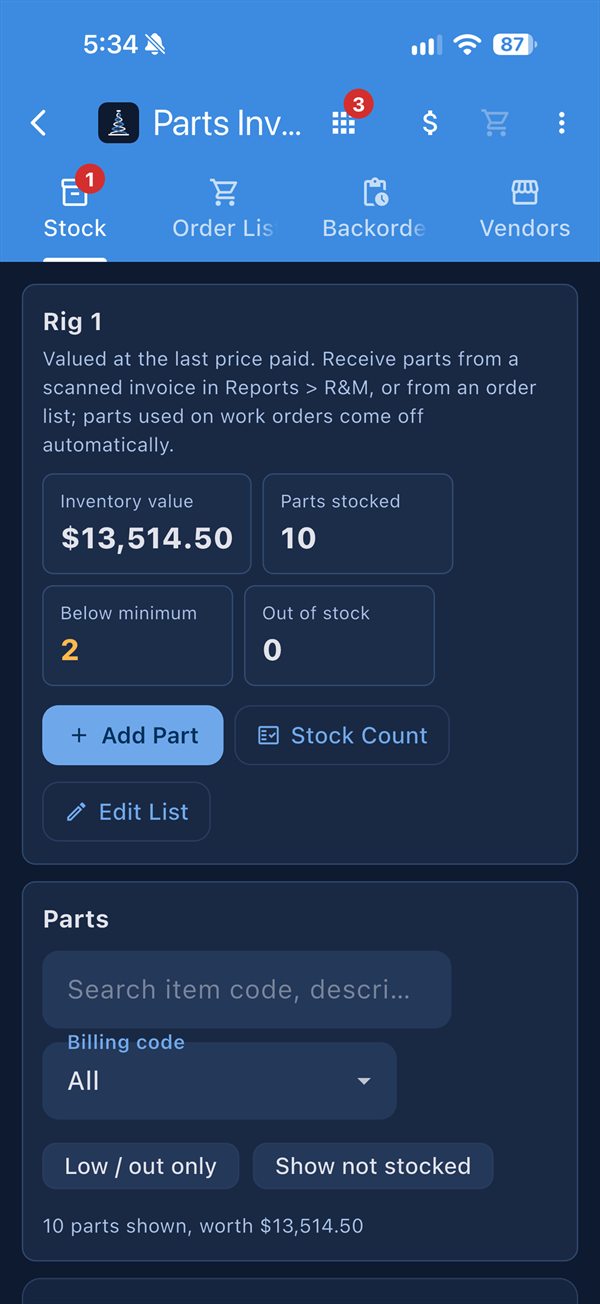
Stock by rig with minimum levels and bin locations, planned maintenance by asset, and work orders with hours, costs and parts used. Approved Order Lists go to your suppliers, and you can follow every line until it's delivered.
Each company gets its own forms, inspections and checklists, and every module shares the same people, rigs, PIN signatures and offline sync. Pick one to see what it does.
Permits, JSAs, pre-tour meetings, drills, tour reports, rig moves and Safety Alerts, all signed by PIN.
See SafetyPhoto issue lists with verified fixes, a monthly Hazard Hunt and incident reports that can't close with open actions.
See Walk AroundEvery rig inspection on schedule, with photos, PIN sign-off and the next due date set for you.
See InspectionsPlanned maintenance, work orders, assets, certificates and transfers between rigs and the yard.
See MaintenanceStock by rig, Order Lists to suppliers, backorders and invoices read by AI, without the phone calls.
See PartsEnd of hitch, relief notes, downtime, pump hours, ton-miles, pipe tallies and a grade for every rig.
See ReportsCrew rotation, training due dates, HR forms and access set down to each job.
See TeamOrders straight from the rig, inventory and barcodes, and invoices the rig approves.
See the supplier appRigs go days without a good connection. RigDNA keeps a copy of the rig's records on the device, so crews sign in, fill out forms, take photos and sign with their PIN as normal. Everything uploads by itself once the signal's back.
Each company's data is kept apart from every other company's, and the server checks every change.
Set access per person, rig and screen, choose who can create, sign, close or delete, and save it as a template for each position.
Injury details and HR forms go only to the people who need them, and private forms never land on shared rig devices.
Export your records to Excel and PDF whenever you want. No ads, no tracking, and we never sell data.
Suppliers get their own RigDNA account. Give a drilling company your connect code, and its Order Lists land in your inbox. Every answer you give shows up on the rig, so nobody has to call to ask where a part is.
Send the permits, inspections, JSAs and parts lists you use today, on paper or in spreadsheets.
Your forms, assets, parts and crews are loaded for each rig, with access set for each position.
On the rig PC, an iPad or their own phone. Built-in tours walk them through each screen.
Yes. Each device keeps the rig's records, so crews can sign in, fill out and sign forms, and take photos with no connection for days. Everything uploads once the signal's back, and the server checks it.
iPhone and iPad, Windows PCs, and any modern web browser. A rig can share one iPad or PC, with each hand signing with their own PIN, and anyone can also use their own phone.
Each company gets its own inspections, permits and checklists, and can change them from a spreadsheet. The forms follow the paper versions crews already know, and PDFs come out ready for the office.
You do. Your records are kept apart from every other company's, you can export them to Excel and PDF at any time, and we never sell data or show ads. See the Privacy Policy.
Pricing depends on the number of rigs. Contact us and we'll put together a quote along with a demo.
Tell us about your rigs, or the rigs you supply, and we'll set up a walkthrough with your own forms and parts in it.
Built from experience by someone who has done this paperwork on tour.